Mark naturally
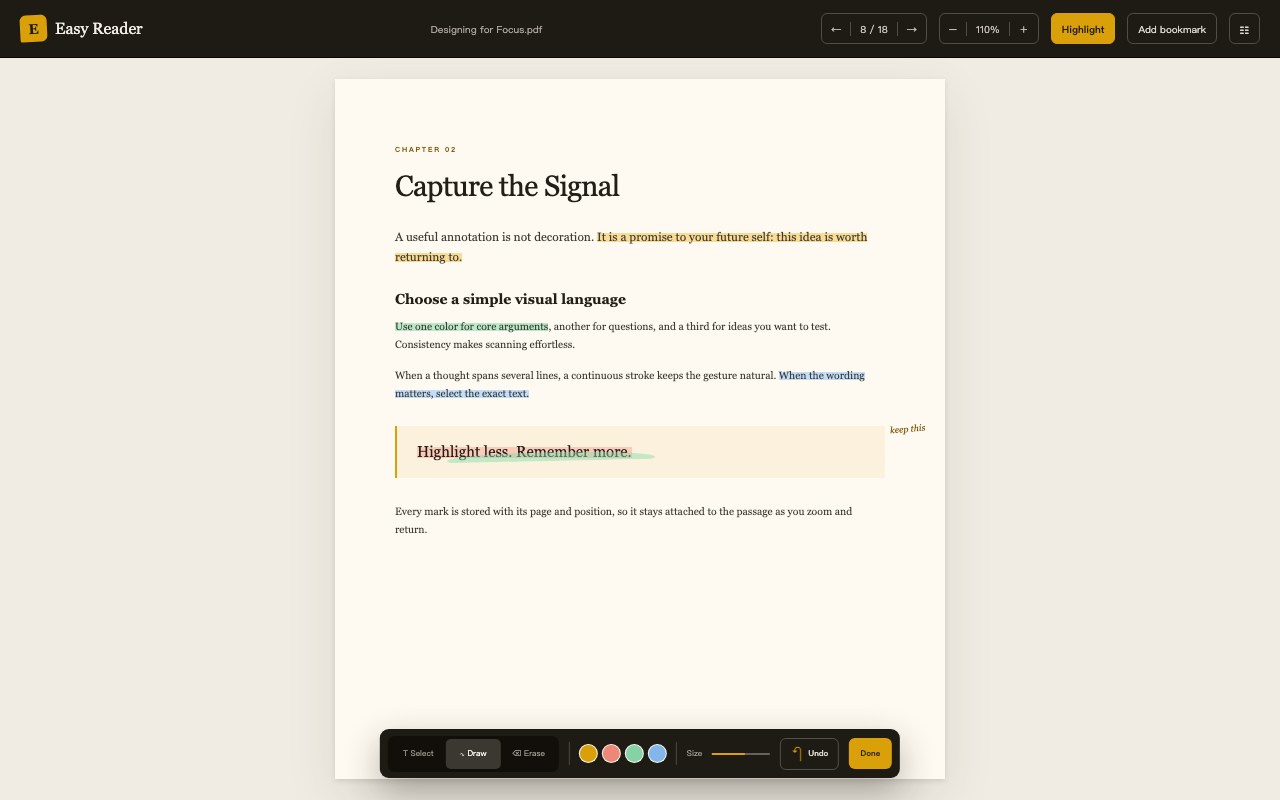
Select text or use a continuous pen. Choose from four useful colors, erase by position, and undo an entire highlight in one step.
Highlight · draw · undoLocal-first PDF reading
Easy Reader turns Chrome and Chromebook into a focused PDF desk—highlight, draw, bookmark, and return to the exact line where you left off. No account. No cloud detour.
Designed for the reading itself
Open a local file or an HTTPS PDF and begin. Easy Reader keeps the document, annotations, bookmarks, and progress together—right in Chrome.
Select text or use a continuous pen. Choose from four useful colors, erase by position, and undo an entire highlight in one step.
Highlight · draw · undoNamed bookmarks take you to a precise position. Your page, in-page location, and zoom level are restored automatically.
Bookmarks · resumeKeep the PDF's original hierarchy, expand sections, jump between chapters, and resize the outline to fit the document.
Outline · chaptersTurn a highlight into a polished 1080 × 1440 quote card with surrounding context and a discreet document watermark.
Quote cards · PNGInside Easy Reader
Every surface is tuned around a PDF: a calm library before reading, precise tools while reading, and just enough context when you return.
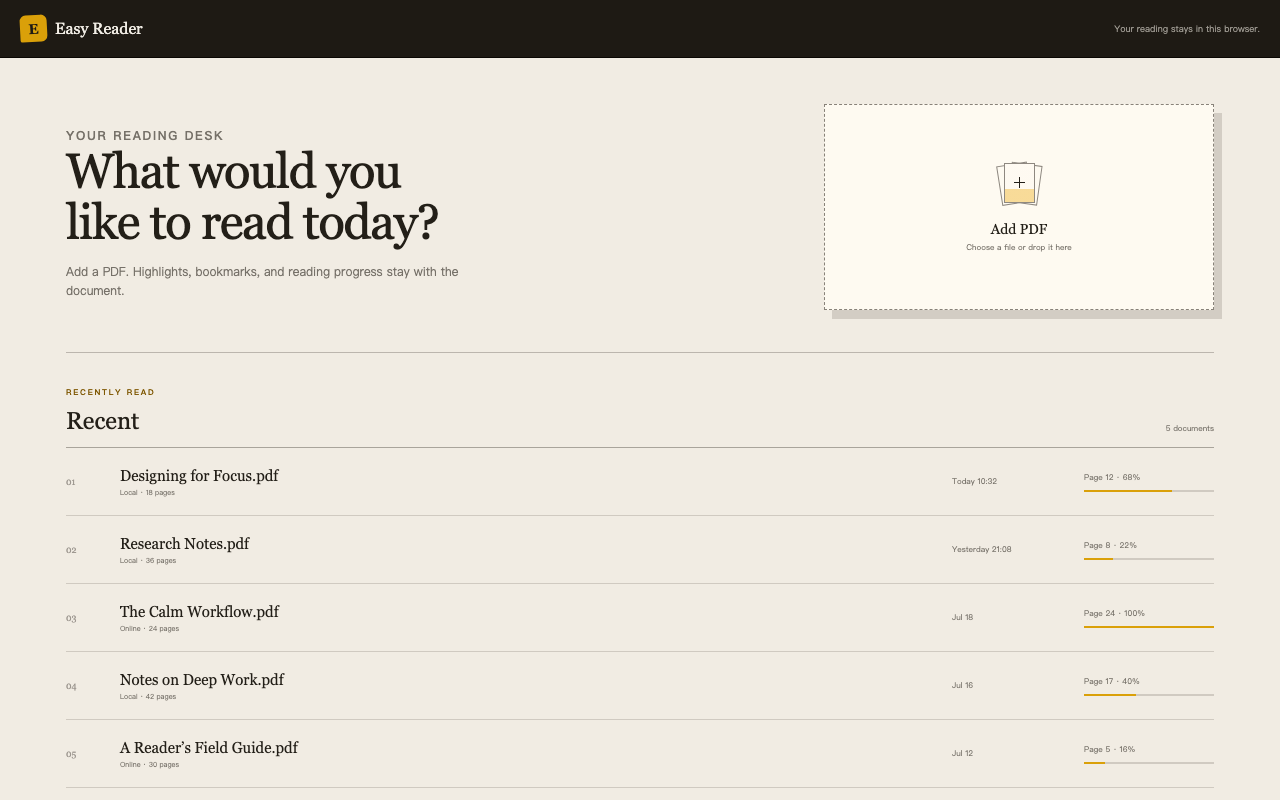
Your offline shelf
Drop in a PDF and find it again by recent reading activity. The file stays available offline in this browser.
The browser is the boundary
PDFs, annotations, bookmarks, reading progress, and preferences remain in your browser. Easy Reader has no account system or advertising. Anonymous extension usage analytics can be disabled anytime from Privacy on the home page.
Good to know
No. Local PDFs and reading data stay in your browser. For an online PDF, Chrome requests the file directly from the site you selected after you grant access to that site.
Yes. PDFs added to your local library remain available offline, together with their highlights, bookmarks, and saved reading position.
Use the file picker or drag and drop a local PDF. You can also open a public HTTPS PDF from the current tab or from a PDF link's context menu after granting site-specific permission.
Yes. Easy Reader is now available on the Chrome Web Store and can be installed directly in Chrome.
Practical reading guides
Learn how to resume reading, add bookmarks, navigate a real document outline, and work through long PDFs in Chrome or Chromebook without sending your files to a cloud service.
Return to the saved page, exact reading position, and zoom level in one step.
Continue reading → 02 · BOOKMARKSName important passages and jump back to the precise place you saved.
Save a return point → 03 · NAVIGATIONOpen the original document outline, expand chapters, and move by idea.
Navigate the outline → 04 · HOW-TOUse text highlights, a continuous pen, and shareable quote cards in a few steps.
Read the guide → 05 · HOW-TOBuild a repeatable workflow for marking research papers, reports, and ebooks.
Read the guide → 06 · GUIDESee what matters for local files, long documents, privacy, and reading progress.
Compare the workflow → 07 · PRIVACYUnderstand how Easy Reader keeps documents and annotations in your browser.
See the privacy approach → 08 · SHARINGTurn a highlighted passage and its context into a polished quote card.
See the sharing workflow →Now on the Chrome Web Store
Give your PDFs a permanent desk in Chrome—without giving up your documents or attention.
Install Easy Reader